


CoughDrop AAC
3.950.00 Reviews
App Specs
- Version
- 3.1.3
- Updated On
- License
- Free
- Downloads
- 50,000+
- Developer
- MavWare, LLC.
- Categories
- Education
- Platform
- Android
Screenshots
 Analysis by AppCompare
When someone needs an AAC tool, the most important question is not whether an app looks modern. It is whether the person using it can communicate comfortably, consistently, and with as little friction as possible. I spent time looking at CoughDrop AAC from that practical angle, and my impression is that it is a focused education app for people who need an alternative or augmentative communication system, along with the families, teachers, and support workers who help them use it.
CoughDrop AAC is developed by MavWare, LLC. It is free to install, aimed at Everyone, and belongs to the Education category. The app has reached over fifty thousand installs and holds an average rating of 3.9 from roughly two hundred ratings, with about fifty written reviews. Those figures suggest a useful but not universally smooth experience: enough people have adopted it to make it worth considering, while the rating also tells me that setup and personal fit matter.
My overall view is cautiously positive. This is not the kind of app I would recommend simply because it is free. I would recommend trying it when a learner needs a flexible AAC workspace and the adults around them are willing to spend time configuring and practicing with it. If you want a completely ready-made communication solution with almost no preparation, another option may be easier.
What CoughDrop AAC is really trying to solve
AAC apps sit in an unusual space between education, accessibility, and daily communication. They are not just vocabulary games, and they are not ordinary note-taking tools. The goal is to give a person a dependable way to express needs, choices, feelings, ideas, and social messages when speech is limited, unreliable, or unavailable.
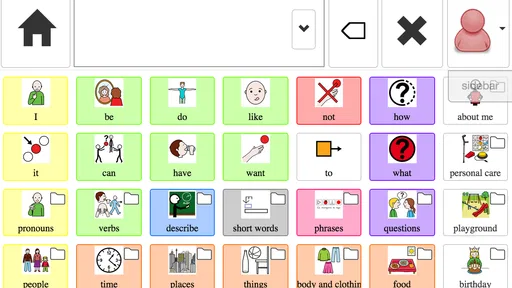
The store summary describes CoughDrop as a simple, flexible, modern AAC communication and support tool. In practical terms, that positioning matters. “Simple” suggests that the interface is intended to be approachable, while “flexible” points toward adaptation rather than a single fixed learning path. That combination can be valuable because AAC users differ widely in age, motor ability, language development, reading skill, and communication habits.
I would think of it less as an app that teaches one universal method and more as a communication environment that needs to be shaped around a particular person. That distinction changes how you should judge it. A child who needs a carefully reduced set of choices may benefit from a different arrangement than a literate adult who wants fast access to typed or stored messages. The app’s usefulness depends heavily on whether the people supporting it are prepared to make those decisions.
Because it is listed for Everyone, the age label does not tell you that it is specifically designed for every developmental stage. It simply makes the app broadly suitable from a content-rating perspective. I would still involve a speech-language professional, educator, or experienced caregiver when selecting vocabulary and deciding how the communication system should be introduced.
Worth Reading Before You Choose

Flipboard Shows What News Apps Must Do Beyond the Feed

Switching to Android Auto Means Rethinking Your Driving Routine

Google Calendar Makes a Crowded Week Easier to Manage

Ludo King Makes the Most of the Minutes Between Plans

Baby Panda World Brings Quick Play to Modern Phones, but Its Game Library Feels Busy

ESPN’s Live Game View Makes Following Close Games Easier
Free access changes the value calculation
The clearest financial advantage is straightforward: the app is free to download. That makes it easier to test on an existing Android device without committing money before you know whether the interface suits the intended user. For families comparing several AAC approaches, this lowers the cost of experimentation and makes a short trial more realistic.
That free access should not be confused with zero effort. The main investment may be time rather than money. Someone still needs to observe how the user communicates, adjust the arrangement, practice during calm moments, and maintain consistency across home, school, and community settings. If those tasks are ignored, even a capable AAC app can appear ineffective.
I also would not treat the free price as proof that it replaces professional equipment or specialist support. A phone or tablet can be convenient, but it may not have the durability, mounting options, sound output, or physical accessibility features of a dedicated communication device. The right comparison is not simply “free versus expensive.” It is “free software on a device I already own versus the complete communication setup this person actually needs.”
The current version is 3.1.3, and the minimum operating-system requirement is Android 7.0. That makes it accessible to a range of older Android devices, which is helpful if a family has a spare tablet available. I would still test responsiveness, screen size, battery behavior, and audio clarity on the actual device before making it part of a daily communication routine.
Where the value appears in everyday use
The strongest value is the possibility of having a communication tool available in ordinary situations rather than only during therapy or classroom exercises. Imagine a child arriving at a café after school. Instead of relying on a caregiver to guess, the child can use the device to indicate a preferred drink, reject an option, ask for a break, or comment on something nearby. Those small exchanges are not minor; they build independence and give communication a purpose beyond completing an activity.
Another useful situation is a transition between adults. A teacher may know which prompts help at school, while a parent knows the person’s routines at home. An AAC system works better when both adults respond to the same communication attempts instead of treating the device as a last resort. CoughDrop can be valuable in that workflow because it gives the group a shared object to discuss and refine, rather than leaving communication strategies scattered across notebooks and memory.
I also see potential for supporting communication during moments when speech becomes harder. Fatigue, stress, illness, sensory overload, and unfamiliar environments can all change how effectively someone speaks. A prepared AAC option can reduce pressure because the person does not have to explain why speech is difficult before receiving support.
A less obvious benefit is that the app can encourage supporters to distinguish between a person’s communication ability and their speech ability. When adults consistently offer an AAC route, they may notice preferences, humor, refusals, and opinions that were previously missed. That is a change in interaction, not merely a change in screen layout.
Configuration is part of the communication plan
The word “flexible” is important, but flexibility is only useful when it is handled deliberately. I would begin with the messages and concepts the person needs most often, not with an attempt to include every possible word. A crowded starting layout can make the device feel slow and intimidating. On the other hand, an arrangement that is too limited can prevent the user from expressing something unexpected, which is one of the reasons AAC should grow over time.
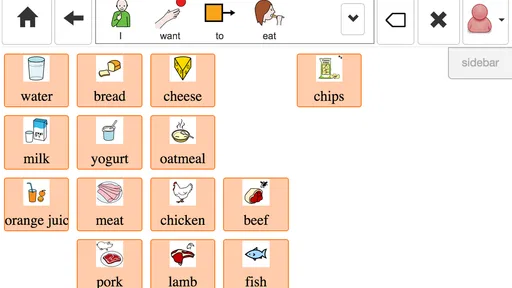
One practical method is to watch a normal day and write down communication opportunities: requesting help, rejecting food, choosing clothing, greeting someone, describing pain, asking for a preferred activity, and commenting during play. Those observations can guide the first setup more effectively than copying a generic vocabulary list. After a week of use, I would review which messages were easy to find and which ones required too much adult prompting.
A second useful tip is to practice outside moments of crisis. If the only time the device appears is when a person is upset, it becomes associated with pressure. Short, relaxed practice during meals, games, travel preparation, or shared reading gives the user a chance to explore without an urgent demand to answer.
A third trade-off involves adult modeling. Supporters should use the system themselves while speaking, showing how a message can be built or selected without turning every interaction into a test. That takes patience, especially when the spoken answer would be faster. The long-term benefit is that the user sees the app as a genuine communication method rather than a worksheet.
What feels strong and what may slow you down
The app’s biggest strength is its focus. CoughDrop is not trying to distract the user with unrelated entertainment or bury communication inside a general productivity interface. Its purpose is clear, and that clarity can help families evaluate it as a serious AAC candidate.
Its flexibility is also a potential strength for mixed environments. A school may need vocabulary related to classroom routines, while home use may center on family members, hobbies, meals, and personal care. A system that can be adapted is more likely to remain relevant than one that assumes every user communicates in the same way.
The main limitation is that flexibility creates decisions. A person new to AAC may not know how much vocabulary to present, how to organize it, or when to change it. If the setup feels confusing, the app may receive blame for a problem that is really a mismatch between the configuration and the user’s needs. This is why I would not judge it after only a few minutes of tapping through the interface.
There is also a practical device trade-off. A phone is portable and familiar, but its smaller screen can be difficult for users with motor or visual challenges. A larger tablet may improve access while becoming less convenient to carry. The app cannot remove those physical constraints. Before choosing it as a primary system, check whether the intended user can reliably locate and activate the needed choices on the chosen screen.
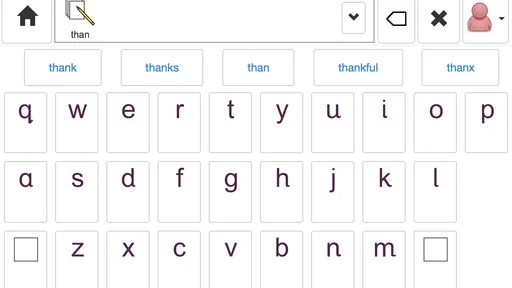
Another point is communication speed. A person who already types quickly may prefer a keyboard-centered tool, while someone who benefits from visual choices may need a different arrangement. CoughDrop makes more sense when its AAC approach matches the user’s access method. It is not automatically better than a text-to-speech app for every nonspeaking or partially speaking person.
How it compares with familiar alternatives
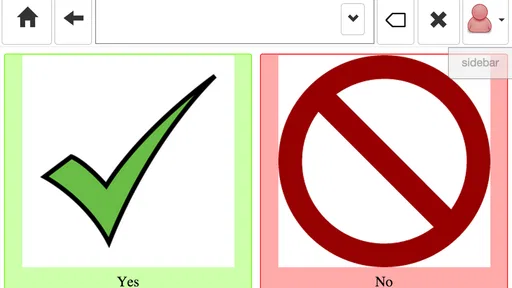
The usual alternatives fall into several groups. Some are simple text-to-speech apps, which can be excellent for literate users who can type efficiently. They often require fewer vocabulary decisions, but typing may be slow or physically demanding, especially during stress. CoughDrop is more appealing when the user benefits from prepared communication choices, visual organization, or support from caregivers who model messages.
Other alternatives are dedicated AAC platforms or specialist communication devices. These may offer a more complete hardware package, stronger physical accessibility options, or professional configuration services. They can be preferable when communication is mission-critical, when the device must survive demanding environments, or when a clinical team has already selected a specific system. CoughDrop’s advantage is easier experimentation on compatible Android hardware, not a guarantee that it will match a dedicated setup.
There are also picture-based communication boards and printed low-tech systems. Those do not depend on battery life or an operating system, and they can be essential backups. A digital app may provide more room for changing vocabulary and more discreet access in some situations, but I would never remove a reliable low-tech backup simply because a tablet app is available.
Compared with a general education app, CoughDrop offers a more direct route to functional communication. Compared with a fully managed clinical solution, it may demand more involvement from the family or school. That middle position is exactly where it can deliver value: accessible enough to try, but serious enough to require thoughtful implementation.
Who should try it, and who should look elsewhere
I think CoughDrop is worth trying for families who already have a suitable Android device and want to explore AAC without paying for an app upfront. It may also suit educators who need a communication option to discuss with a support team, particularly when the user’s vocabulary and routines are likely to change over time.
It is a better fit for people who can benefit from visual or prepared communication and for supporters willing to model use consistently. It may be especially practical when several adults need to agree on a shared communication routine rather than each inventing separate prompts.
I would be more cautious if the person has highly specific motor-access requirements, needs a rugged dedicated device, or depends on a setup designed by a specialist team. I would also hesitate to choose it as the only option for someone whose communication needs are urgent but whose caregivers cannot spend time learning the system. In those cases, a professionally configured alternative or a dependable low-tech board may be safer.
Someone looking only for quick translation, casual text-to-speech, or a typing aid may find a simpler app more efficient. CoughDrop is not the right choice merely because it is free; it is the right choice when an adaptable AAC environment is more useful than a bare text box.
My verdict on value
After weighing the free access against the setup responsibility, I see CoughDrop AAC as a worthwhile trial rather than an automatic final answer. The lack of an upfront app cost is meaningful, especially for families who need to compare approaches carefully. Its educational focus, flexible purpose, and suitability for everyday communication give it more substance than a basic phrase button tool.
My recommendation would be to install it on the device the person will genuinely use, start with a small set of high-value communication opportunities, and involve the people who support that person every day. Give the user time to explore without constant testing. Then adjust the system based on what they try to say, not only on what adults think they ought to say.
The 3.9 average rating is consistent with my balanced impression: this is a promising tool, but the experience will vary according to configuration, device, and support. I would recommend it to patient families and educators who want a free starting point and are prepared to do the communication work around the app. I would skip it in favor of a specialist or hardware-focused solution when physical access, durability, or clinical configuration is the deciding factor.
In short, CoughDrop earns its place on an AAC shortlist because it makes experimentation affordable and keeps the focus on meaningful communication. Its real value appears when the app becomes part of daily interaction—not when it is left untouched after installation.
Pros
- Customizable AAC boards support different communication needs.
- Works across mobile and web platforms for flexible access.
- Includes speech output for clearer day-to-day communication.
- Cloud syncing helps keep boards available on multiple devices.
- Supports caregiver collaboration and shared communication resources.
Cons
- Many useful features require a paid subscription.
- The interface may feel complex for first-time AAC users.
- Offline availability can depend on prior setup and downloaded content.
- Creating detailed boards may take considerable time.
- Speech quality and available voices vary by device and platform.
FAQs for CoughDrop AAC
What is CoughDrop AAC, and who is it designed for?
CoughDrop AAC is an augmentative and alternative communication app designed to help people who have difficulty speaking communicate through symbols, text, pictures, and synthesized speech. It can be used by children and adults with conditions such as autism, cerebral palsy, apraxia, aphasia, or other communication challenges. Families, teachers, therapists, and caregivers can also participate in creating and supporting communication systems.
Does CoughDrop AAC require an internet connection to work?
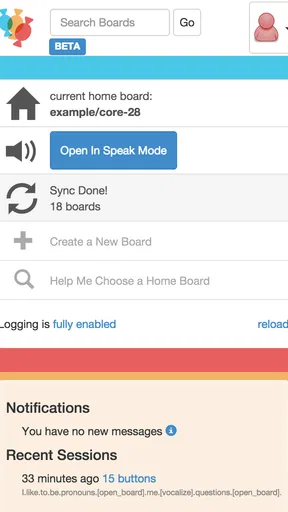
CoughDrop AAC is designed to support communication in different environments, including situations where an internet connection may not be available. However, online access can be important for syncing communication boards, backing up information, managing accounts, and coordinating support between caregivers or professionals. Before relying on it away from home, users should test the required boards and voice features offline on their specific Android or iOS device.
Can I customize communication boards in CoughDrop AAC?
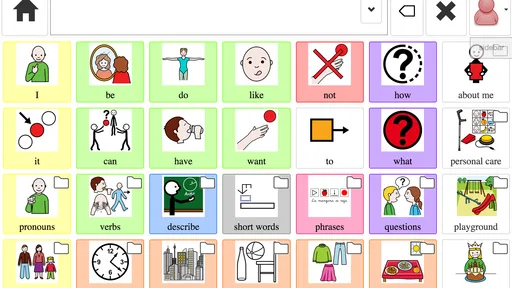
Yes. One of CoughDrop AAC’s main strengths is its flexible board customization. Users, parents, teachers, and speech-language professionals can adjust symbols, vocabulary, categories, colors, button sizes, layouts, and navigation to match an individual’s communication abilities and needs. The app also supports building personalized vocabulary over time, although creating an effective board may require patience and guidance from an AAC professional.
Does CoughDrop AAC support caregivers, teachers, and speech therapists?
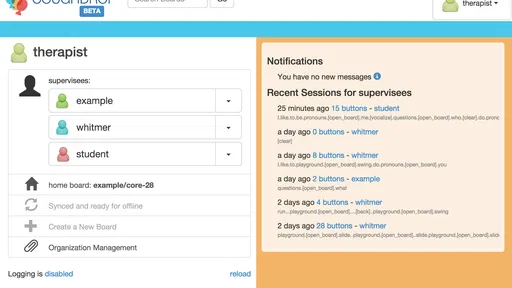
CoughDrop AAC includes collaboration features intended to help communication partners stay involved. Depending on the account and setup, caregivers, educators, and speech-language professionals can help manage boards, review communication activity, and coordinate changes across devices. This can be especially useful in home, school, and therapy settings. Users should carefully configure permissions and privacy settings so that only appropriate people can access shared information.
Is CoughDrop AAC free to download and use?
CoughDrop AAC may be available to download without an initial charge, but access to all features, services, or account options can depend on the current subscription model, platform, or purchase terms. Because pricing and included features may change, users should check the official Google Play Store or Apple App Store listing before downloading. Families should also review renewal details and any in-app purchase requirements.


